Ecommerce customers
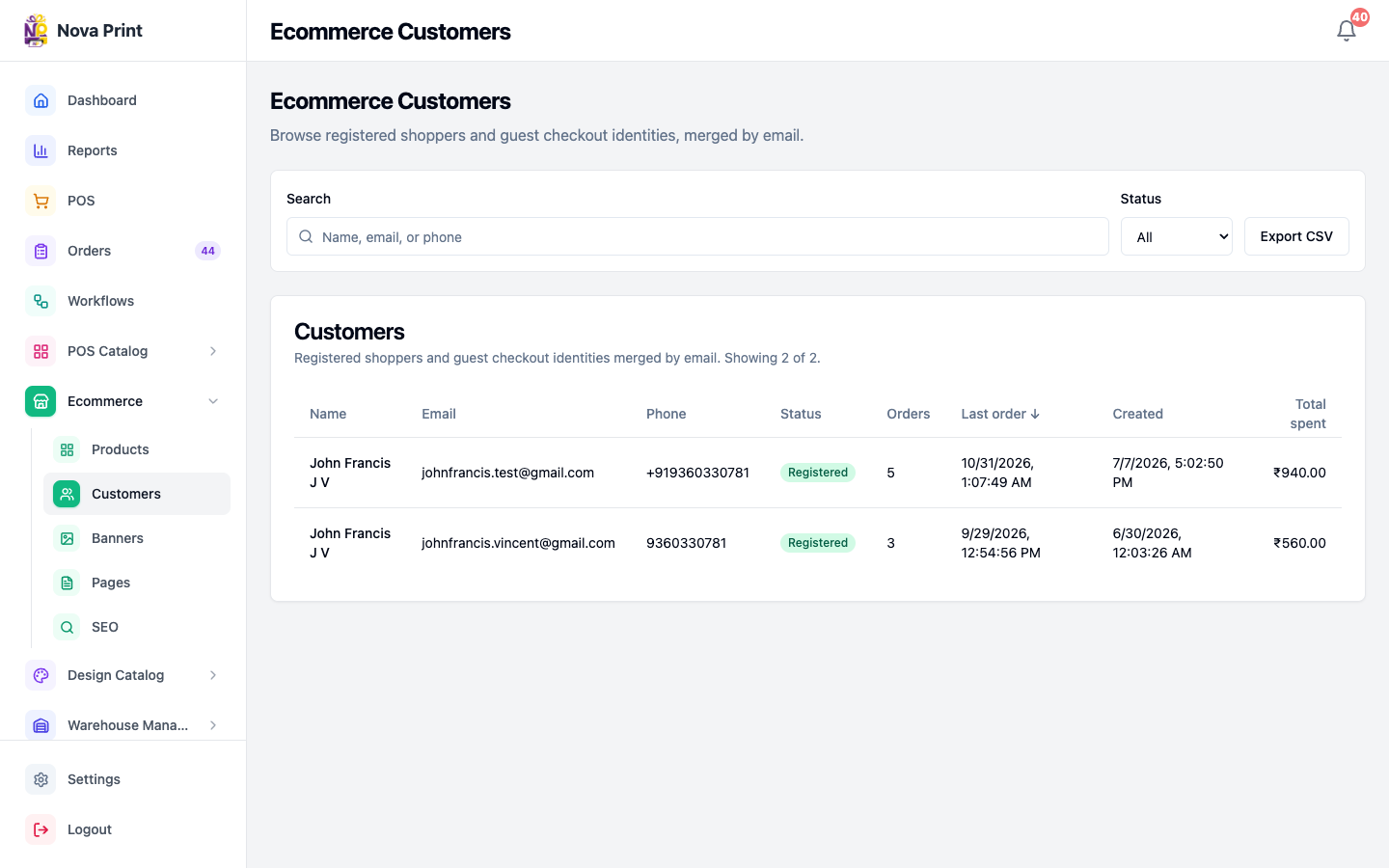
Browse registered shoppers and guest checkout identities (merged by email), filter by status, sort columns, and export a CSV.
Who and where
- Roles: Admin or Stock (Ecommerce nav)
- Route:
/ecommerce/customers - Nav: Sidebar → Ecommerce → Customers
Page title: Ecommerce Customers — Browse registered shoppers and guest checkout identities, merged by email.
1. Open the list
- Sign in to Admin.
- Open Ecommerce → Customers.
- The Customers table shows Name, Email, Phone, Status, Orders, Last order, Created, Total spent.
Empty state: No customers found.
2. Search
- In Search, type a name, email, or phone (placeholder Name, email, or phone).
- Results update after a short debounce (~300 ms) and reset to page 1.
3. Filter by status
- Open Status.
- Choose All, Registered, or Guest.
- Badges in the table: Registered (green) or Guest (slate).
4. Sort
- Click a sortable column header: Name, Email, Orders, Last order, or Created.
- First click sorts descending (↓); click again for ascending (↑); toggle again to reverse.
- Default ordering is Last order descending (
-last_order_at).
5. Paginate
- Page size is 20 rows.
- Use Previous / Next when Page X of Y is shown.
- Footer copy: Showing {n} of {total}.
6. Export CSV
- Optionally set search, status, and sort (export uses the current filters).
- Click Export CSV (busy: Exporting…).
- Success toast: Export ready / Customer CSV downloaded. Filename:
ecommerce-customers.csv. - Failure toast: Export failed.
Related
- Listings and homepage
- Account, addresses, and track order (customer-facing account)