Add a standard product to the cart
Standard products are ready-made catalog items (not custom-print configurators or design-to-model picks). Open them from Shop all, a category, search, or home sections.
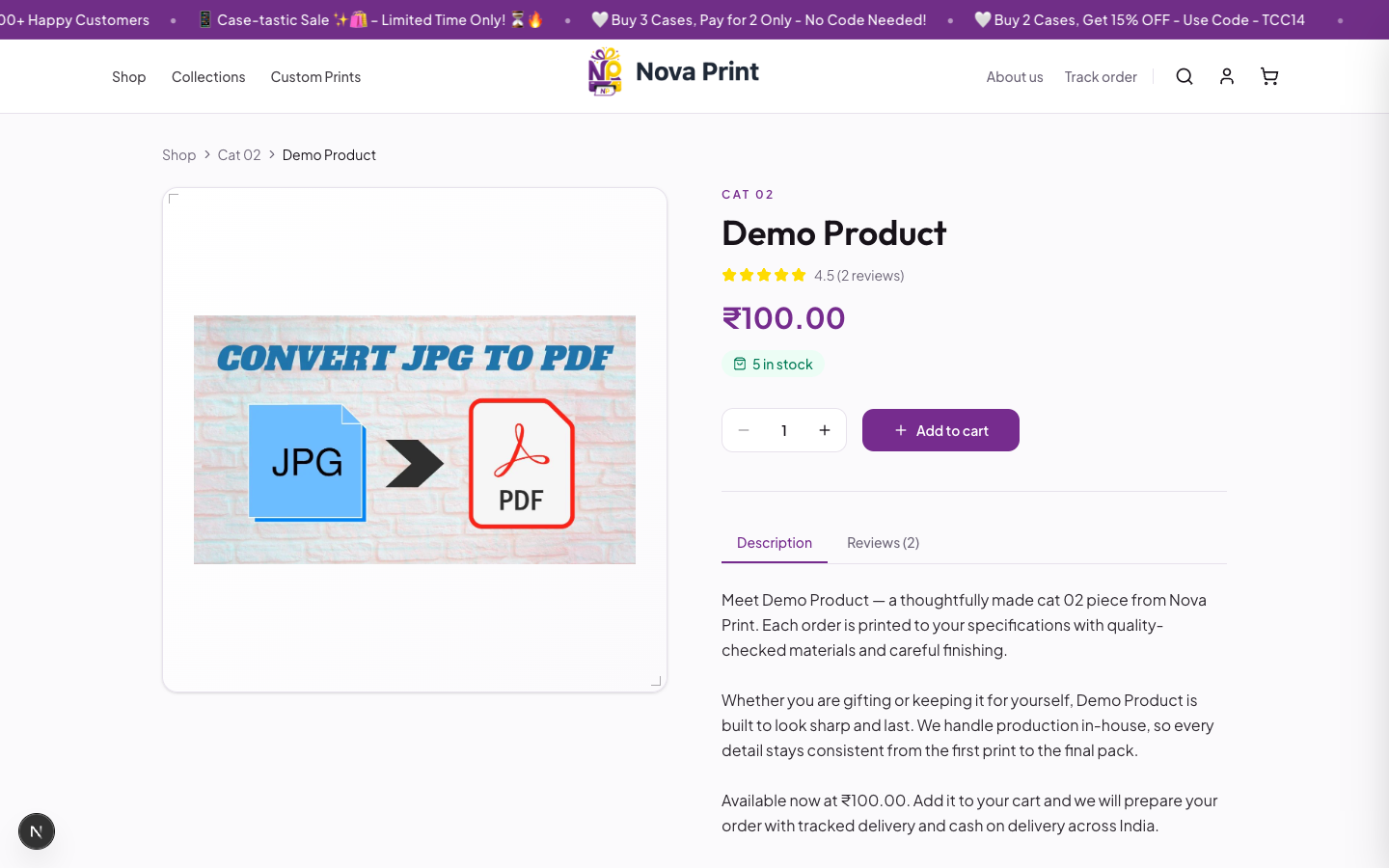
From the product page
Route: /product/{slug}
- Open the product. Breadcrumb: Shop → category → product name.
- Check stock: {n} in stock or Out of stock.
- Set quantity with Decrease quantity / Increase quantity (within available stock).
- Click Add to cart (disabled when out of stock).
- Optional: if the store offers extras, a You might also like dialog may appear — add extras with Add to cart, then View cart or Continue shopping.
- Open the cart from the header (Open cart). Review Your Cart ({n}), then click Proceed to checkout →
/checkout.
Product tabs (when present): Description, Specifications, Reviews ({count}).
From the product grid
On Shop all or a category page, a standard ProductCard can show Add to cart (or Out of stock) without opening the product page first.
Cart drawer
| Element | Behavior |
|---|---|
| Empty | Your cart is empty, Continue shopping |
| Lines | Title, price, quantity controls for standard items |
| Badges | Custom / Extra when applicable |
| Totals | Subtotal |
| Checkout | Proceed to checkout |
| Extras | Add more extras (compact addon list) |
Custom-print lines in the cart are fixed at Qty: 1 (quantity cannot be changed in the drawer).
Next steps
- Checkout (COD / Razorpay)
- Custom print flow for made-to-order items